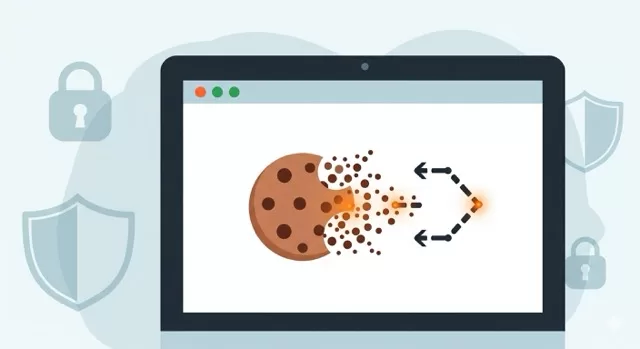
When you hear the word cookies, you might think of chocolate chips and fresh-baked treats. But in the digital world, cookies are something very different — and they play a major role in how your personal information is tracked online.
In this post, we’ll break down what cookies are, how they affect your privacy, and the steps you can take to protect yourself.
🍪 What Are Cookies?
In simple terms, cookies are small text files that websites save on your device. They keep track of your preferences, login sessions, and browsing behavior.
- First-party cookies come directly from the website you’re visiting. They often make your online experience smoother by remembering things like your login details or shopping cart.
- Third-party cookies are created by advertisers, data brokers, and tracking services. These are the ones that raise privacy concerns, as they can follow you across different websites to build detailed profiles of your habits.
🔍 Why Cookies Matter for Privacy
Cookies are powerful — and not always in a good way. Here’s how they can impact your privacy:
- Tracking your behavior: Third-party cookies can monitor what sites you visit, what you search for, and even what you buy.
- Targeted advertising: Companies use cookie data to deliver personalized ads — sometimes uncomfortably accurate.
- Data sharing: Your cookie-based profile may be shared or sold to third parties without your knowledge.
This means that even when you’re careful about what you share, cookies may be quietly collecting data in the background.
🛡️ How to Protect Your Privacy
The good news? You don’t have to give up the internet to protect yourself. Here are simple steps you can take today:
- Adjust your browser settings
- Most browsers let you block or limit third-party cookies. Check the privacy or security section of your settings.
- Use privacy-focused browsers
- Browsers like Brave or Firefox come with built-in tools to block trackers and cookies by default.
- Clear cookies regularly
- Delete cookies every week (or set your browser to clear them automatically) to minimize long-term tracking.
- Use extensions or privacy tools
- Add-ons like Privacy Badger or uBlock Origin can help block tracking cookies.
- Review cookie banners carefully
- When websites ask you to “Accept Cookies,” look for an option to “Reject Non-Essential Cookies.”
SafeTechGuide
Cookies aren’t inherently bad — they make the web functional. But in the wrong hands, they can erode your privacy. By taking small steps, you can enjoy the convenience of the web without giving up control of your personal data.
At SafeTechGuide, we believe smart tech doesn’t have to come at the cost of your privacy.
✅ Next Step: Want to learn more about protecting yourself online? Check out our Smart Privacy Habits Guide for practical strategies to safeguard your digital life.