
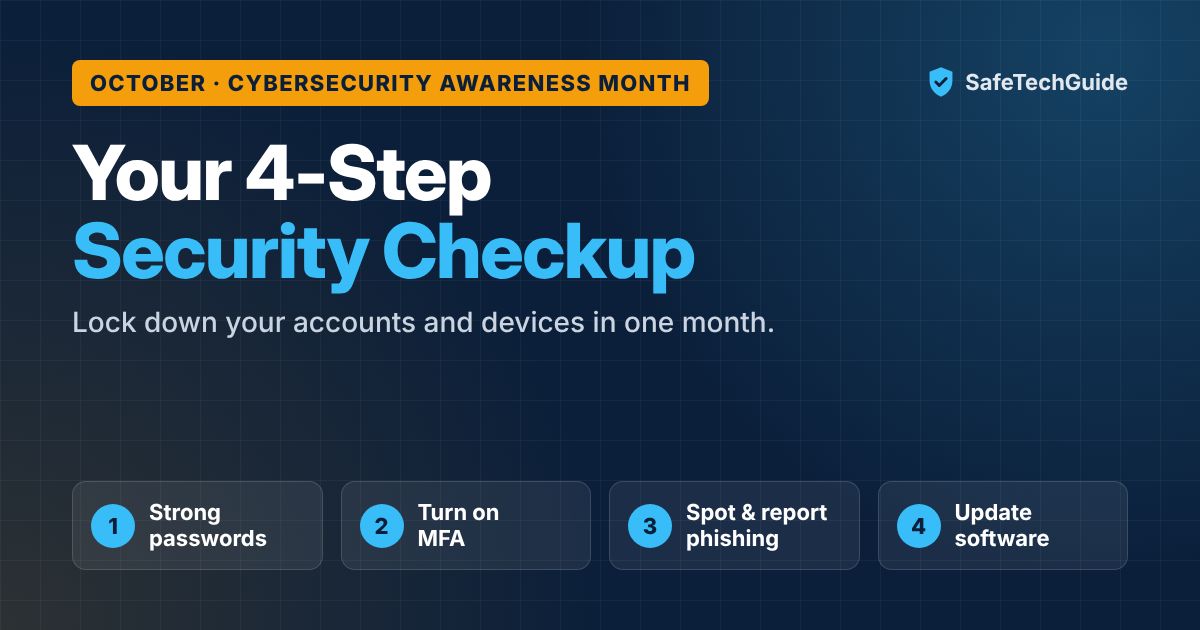

Cybersecurity Awareness Month (every October) asks everyone to lock in four habits: use strong, unique passwords stored in a password managerPassword Manager Software that securely stores and generates strong, unique passwords for all your online accounts.; turn on multifactor authentication (MFAMulti-Factor Authentication An extra layer of security that requires more than one form of verification to log in. Two-factor authentication (2FA) is a common type of MFA.); recognize and report phishingPhishing A scam that uses fraudulent emails, texts, or websites to trick you into revealing personal information.; and keep your software updated. The checkup below walks through each one. It tells you what to do, which accounts and devices to start with, and how to know you’re done. If you’ve already been scammed or hacked, skip to “Already Had Something Go Wrong?” near the end.
Why October, and Why These Four Steps
Every October since 2004, the President and Congress have designated the month as Cybersecurity Awareness Month. The Cybersecurity and Infrastructure Security Agency (CISA) and the nonprofit National Cybersecurity Alliance lead the campaign together.
This year the two organizations are running different themes:
- CISA’s theme is “Securing the Next 250,” tied to America’s 250th anniversary. Oklahoma’s state technology office described the theme as protecting the nation for another 250 years.
- The National Cybersecurity Alliance’s theme is “Don’t Make It Easy for Them.” The Alliance explains that staying safe online doesn’t come down to one perfect decision. It depends on small habits you repeat every day.
Both campaigns point to the same four steps. The themes will change next October, but the steps have stayed the same since CISA introduced them in 2023, which is why this checkup is worth repeating every year.
What the Numbers Say
The FBI’s 2025 Internet Crime Complaint Center (IC3) report, released in April 2026, shows why the basics still matter:
- IC3 received 1,008,597 complaints with $20.877 billion in reported losses, a 26% increase in losses over 2024.
- Phishing and spoofing was the most-reported crime type, with 191,561 complaints. Reported phishing losses roughly tripled, from about $70 million in 2024 to $215.8 million in 2025.
- Among people 60 and over, phishing complaints more than doubled, from 23,252 to 48,064.
- Account takeover schemes accounted for about 4,700 complaints and $359.7 million in losses.
Each of the four steps below closes off one of the most common ways these crimes start: a guessed or reused password, a login with no second check, a convincing fake message, or an old device that never got patched.
Step 1: Use Strong, Unique Passwords and a Password Manager
CISA describes a strong password as long, random, and unique, using uppercase letters, lowercase letters, numbers and symbols. Nobody can remember dozens of passwords like that, which is why CISA recommends a password manager to create and store them.
What to do this month:
- Pick a password manager and set it up with one strong master password you’ve never used anywhere else. Our password manager comparison covers the options. If you’re new to the idea, start with how password managers work.
- Change the passwords on your email account first. Whoever controls your email can reset most of your other passwords. Then do your bank and your phone carrier.
- Replace any password you’ve used on more than one site. Most managers flag reused passwords for you.
You’re done when: your email, bank and carrier accounts each have a unique password generated by your manager, and you know your master password without writing it on a sticky note.
Step 2: Turn On Multifactor Authentication (MFA)
MFA asks for a second proof of identity after your password, such as a code or a fingerprint. CISA explains that even if your password is stolen, someone who doesn’t have the second factor still can’t get into the account.
What to do this month:
- In each important account, open Settings (sometimes labeled Account Settings or Security), look for two-factor or two-step authentication, and turn it on.
- Start with email, social media and financial accounts, the priorities on CISA’s Cybersecurity Awareness Month page.
- Choose the strongest option the account offers. CISA recommends authenticator apps or hardware tokens over text-message codes. PasskeysPasskeys A passwordless login method that uses your device (like a phone or laptop) to securely verify your identity. go further. Our passkeys guide explains how they work.
- Save the backup codes each account gives you and store them somewhere safe, such as your password manager.
For a full ranking of MFA methods and what to do if you lose your phone, see our two-factor authentication guide.
You’re done when: your email, bank and main social media accounts all ask for a second step at login, and you’ve saved backup codes for each.
Step 3: Recognize and Report Phishing
Phishing is a message (email, text, social media DM or phone call) designed to look like it’s from someone you trust so you’ll click, pay or share information. CISA’s phishing guidance lists the common signs:
- Urgent or emotional language, especially threats of consequences if you don’t act right away
- Requests for personal or financial information
- Shortened or unfamiliar links
- Lookalike addresses such as “amazan.com”
CISA also points out that bad grammar is no longer a reliable sign. Messages written with AI tools can be perfectly polished, so check for the other signs instead.
What to do this month:
- Learn your apps’ Report spamSpam Unwanted and unsolicited junk mail, typically sent in bulk for commercial purposes. or Report phishing buttons. CISA’s advice is short: don’t click, report the message, then delete it. Don’t click “unsubscribe” either.
- If a message might be real, contact the company or person another way: type the company’s web address yourself or call a number you already have, not one from the message.
- Know where to send reports. The FTC says to forward phishing emails to the Anti-Phishing Working Group at reportphishing@apwg.org, forward scam texts to SPAM (7726), and report the attempt at ReportFraud.ftc.gov.
Our deeper guides cover phishing emails, text scams and the warning signs every scam shares.
You’re done when: you’ve reported one suspicious message instead of just deleting it, and everyone in your household knows to call back on a known number before acting on an urgent request.
Step 4: Update Your Software
Updates often fix security holes that criminals already know how to use. CISA’s advice comes down to three moves: watch for update notifications, install updates as soon as possible (especially for browsers and security software), and turn on automatic updates so you don’t have to remember.
The devices people forget about are the ones that get caught. In a May 7, 2025 public service announcement, the FBI warned that criminals were taking over end-of-life home routers with a variant of TheMoon malwareMalware Any malicious software, including viruses, spyware, and ransomware, designed to harm your device. and using them as proxies to hide their own activity. End of life means the manufacturer no longer releases security updates, and the FBI noted that routers dated 2010 or earlier likely fall into that group. Routers with remote administration turned on were among those compromised.
What to do this month:
- Turn on automatic updates on your phone, computer and browser. Look in Settings under Software Update or Security.
- Open every app that’s been nagging you with “Remind me later” and let it update.
- Check your router. Log in to its settings, install any available firmware update, and turn off remote management. If the manufacturer no longer supports it, the FBI recommends replacing it. Our home Wi-Fi guide walks through the settings.
- Don’t forget smart TVs, cameras and other connected gadgets. Our smart home guide covers those.
CISA’s tip for anything without automatic updates: ask the maker why not.
You’re done when: automatic updates are on for every device that offers them, and you know your router still receives firmware updates.
Your One-Page Checkup
| Step | Start with | Done when |
|---|---|---|
| Passwords | Email, bank, phone carrier | Each has a unique, manager-generated password |
| MFA | Email, bank, social media | Each asks for a second step; backup codes saved |
| Phishing | Your email and texting apps | You know how to report a message and verify by calling back |
| Updates | Phone, computer, browser, router | Auto-updates on; router still supported |
You don’t need to finish it all in one sitting. One step a week covers the rest of October.
Already Had Something Go Wrong?
The checkup is about prevention. If you’re already dealing with a problem, do this first:
- You clicked a link or opened an attachment: the FTC advises updating your security software, running a scan and removing anything it finds.
- You gave out your Social Security, card or bank number: go to IdentityTheft.gov for steps specific to the information you lost.
- Money left your account: call your bank right away. The FBI’s IC3 report says that when a fraudulent transfer happens, time is critical: ask your bank to recall the funds, then file a complaint at ic3.gov whatever the amount. In 2025, the IC3’s Recovery Asset Team helped freeze $679 million across 3,900 incidents.
- Someone took over an account: follow our step-by-step recovery guide, and for social media see how to secure and recover your accounts.
Make It Stick
The National Cybersecurity Alliance’s theme comes down to repetition: small habits, repeated consistently, so criminals don’t get an easy opening. A few ways to make that happen (these are our suggestions):
- Put it on the calendar. Repeat this checkup every October, and check your router whenever you change internet providers.
- Do it with family. CISA suggests holding a family “tech talk” during the month. Older relatives are a good place to start, given how quickly phishing complaints from people 60 and over grew in 2025.
- Pick one thing to improve. If all four steps are already done, our Top 10 Cybersecurity Mistakes list is a good next checkup.
Frequently Asked Questions
It runs every October, from October 1 to October 31. It has been held each year since 2004 and is led by CISA and the National Cybersecurity Alliance.
For 2026, CISA’s theme is “Securing the Next 250,” tied to America’s 250th anniversary. The National Cybersecurity Alliance’s theme is “Don’t Make It Easy for Them.” Both promote the same four steps: strong passwords and a password manager, MFA, recognizing and reporting phishing or scams, and updating software.
Your email account comes first, because it can be used to reset the passwords on almost everything else. Then your bank and financial accounts, your phone carrier, and your social media.
It’s much better than no MFA at all. CISA recommends authenticator apps or hardware tokens for added security, and passkeys go further still. Use the strongest option each account offers.
The FTC says to forward phishing emails to reportphishing@apwg.org, forward scam texts to 7726 (SPAM), and report the attempt at ReportFraud.ftc.gov. You can also use the Report phishing or Report spam button in your email or messaging app.
Yes. CISA says many updates exist to fix security risks, and recommends installing them as soon as possible and turning on automatic updates. If a device no longer receives updates at all, like an end-of-life router, the FBI recommends replacing it.
Sources: Cybersecurity and Infrastructure Security Agency, “Cybersecurity Awareness Month” (campaign page); Cybersecurity and Infrastructure Security Agency, “Turn On MFA” (Secure Our World page); Cybersecurity and Infrastructure Security Agency, “Recognize and Report Phishing” (Secure Our World page); Cybersecurity and Infrastructure Security Agency, “Update Software” (Secure Our World page); National Cybersecurity Alliance, “Cybersecurity Awareness Month 2026” (October 2026); Oklahoma Office of Management and Enterprise Services, “Oklahoma looks to the next 250 years during Cybersecurity Awareness Month” (October 2026); FBI Internet Crime Complaint Center, “2025 IC3 Annual Report” (April 2026); FBI Internet Crime Complaint Center, “Cyber Criminal Proxy Services Exploiting End of Life Routers” (I-050725-PSA) (May 2025); Federal Trade Commission, “How To Recognize and Avoid Phishing Scams” (updated October 2024)