
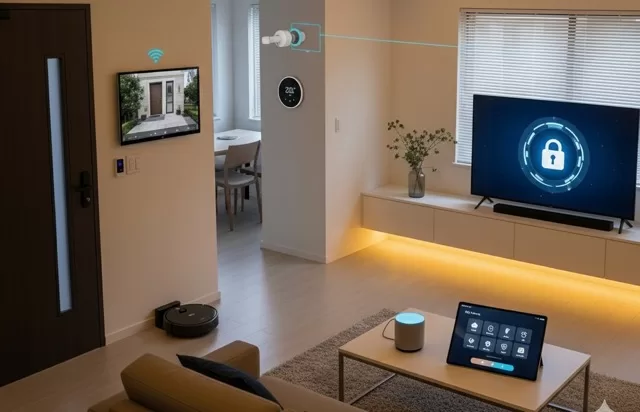

Smart cameras, TVs, speakers, plugs, and streaming sticks are IoT devices: small computers on your home network, and most are set up once and forgotten. Buy from brands you recognize, change any default login, turn on two-factor authenticationTwo-Factor Authentication Login security requiring two forms of verification, such as a password plus a code. It’s the most common form of multi-factor authentication. in the device’s app, keep firmware updated, turn off features you don’t use, and put smart devices on their own network, separate from your computers and phones. Remove devices you no longer use, and be wary of cheap, unbranded gear.
A connected home can have dozens of devices, and each one is a possible way in. This guide covers a real case, the steps that matter most for every device, specific advice for TVs, cameras, and voice assistants, and what to do if you suspect a device has been compromised. For router settings such as WPA3, remote management, and guest networksGuest Network A separate Wi-Fi network you can set up for guests, keeping them off your main network and away from your private devices., see our guide to securing your Wi-Fi.
A Real Example: Infected Devices Sold Ready to Use
In June 2025, the FBI warned about a botnetBotnet A network of internet-connected devices, such as computers, phones, and smart home gadgets, secretly infected with malware and remotely controlled by an attacker. it calls BADBOX 2.0, which includes millions of infected devices. According to the alert, the affected products are Internet of Things (IoT) devices, including TV streaming devices, digital projectors, aftermarket vehicle infotainment systems, and digital picture frames, most of them made in China. Criminals use the infected devices to sell access to home networks through residential proxy services, which route their activity through the victim’s real internet connection.
The FBI says infection can happen before you buy: malwareMalware Any malicious software, including viruses, spyware, and ransomware, designed to harm your device. may be installed on the device before it reaches you, or the device may download apps with backdoors during setup. Devices can also be infected by apps from unofficial marketplaces. Warning signs the FBI lists include:
- Devices from brands you don’t recognize
- Generic streaming boxes advertised as “unlocked” or offering free content
- Android devices that are not Play Protect certified
- Setup instructions that tell you to disable Google Play Protect
- Unexplained or suspicious internet traffic
The FBI notes that a single indicator doesn’t confirm a problem. Its advice: assess all IoT devices on your home network for suspicious activity, avoid downloading apps from unofficial marketplaces advertising free streaming content, keep operating systems, software, and firmware up to date, and consider disconnecting suspicious devices. FBI IC3, “BADBOX 2.0 Botnet” (Alert I-060525-PSA) (June 2025).
The lesson: the owners likely noticed nothing. The device worked, and someone else used the connection. Where a device comes from matters before you plug it in.
Why Smart Devices Are Risky
The sources we reviewed point to a few recurring weaknesses:
- Default settings. The FTC advises replacing factory usernames and passwords, because breached credentials are often used to get into other accounts.
- Neglected updates. The NSA says IoT devices on a home network “are often overlooked, but also require updates.”
- Unused devices left connected. The FTC says to remove old devices from the network, since outdated security can create a weak point.
- Data collection. The FTC notes that voice assistants can listen continuously and send recordings to the manufacturer, and that apps on smart TVs can collect data even when idle.
What to Do for Every Device
1. Know what’s on your network
The FTC suggests using your router’s web interface to find the connected devices. Make a list, and remove anything you don’t recognize or no longer use.
2. Buy carefully
Choose devices from companies that stand behind them. Before buying, check that the manufacturer still sells and updates the product, and avoid unbranded gear sold as unlocked or “free content” streaming boxes, as the FBI’s warning signs suggest. Cheap isn’t always unsafe, but the FBI’s case shows the risk is real. Checking a brand’s update history is our advice, not a point from the FTC or FBI.
3. Change default credentials
The FTC says to replace any factory username and password with a unique password, and not to reuse passwords from other accounts. A password manager makes this practical.
4. Turn on two-factor authentication
The FTC advises enabling two-factor authentication where it’s available, for the device’s app or account. A camera account protected only by a reused password can be opened by anyone who has it. See our two-factor authentication guide.
5. Keep firmware and apps updated
The FTC advises installing firmware updates (which may mean checking the manufacturer’s website) and using the latest version of the companion app. The NSA says to enable automatic updates when available and, if that isn’t possible, to install patches from a trusted vendor monthly. If a device no longer receives updates, consider replacing it, as the FBI advises for routers.
6. Turn off what you don’t use
The FTC recommends disabling features you don’t need, such as remote management, and turning on built-in protections like encryptionEncryption The process of scrambling information so only authorized parties can read it. It’s used in Wi-Fi networks and secure messaging apps. or passcode lockout. The NSA suggests muting microphones and covering cameras when not in use, and disconnecting rarely used devices from the internet, updating them when you do use them.
7. Put smart devices on their own network
The NSA says that at a minimum, your wireless network should be segmented between your primary Wi-Fi, guest Wi-Fi, and an IoT network, so less secure devices can’t communicate directly with your more secure ones. Many home routers offer only a guest network, and using that for smart devices gets you part of the way; the NSA’s three-way split depends on what your router supports. Our Wi-Fi guide covers setting up a guest network. Some devices need to be on the same network as your phone to be controlled; if a device stops working after a move, check its documentation before giving up on separation.
Sources: FTC, “Securing Your Internet-Connected Devices at Home” (updated November 2024); NSA, “Best Practices for Securing Your Home Network” (February 2023).
Device-Specific Tips
Smart TVs. The FTC says to review tracking settings and match them to your privacy preferences, and to remove apps you don’t use. For related settings on your phone, see turning off hidden tracking.
Cameras. The FTC says to change default settings and regularly check access logs for unrecognized IP addresses or unusual access times. Place cameras only where you need them, and mute or cover them when you don’t.
Voice assistants. Because they can listen continuously and send recordings to the manufacturer, review what is stored and mute the microphone when not needed. The FTC has a separate guide on securing voice assistants. We haven’t reviewed it for this post.
Streaming sticks, projectors, and picture frames. These are the categories named in the BADBOX alert. Stick to well-known brands and official app stores, and don’t follow instructions to turn off built-in protections.
If You Think a Device Is Compromised
The FBI says to consider disconnecting suspicious devices and to report suspected compromise to IC3 at ic3.gov. Our practical steps, which are our recommendations rather than the FBI’s:
- Unplug it or take it off Wi-Fi.
- Factory reset it, then set it up again with a new password. If it came pre-infected, a reset may not fix it, so replace it with one from a known brand.
- Change the passwords for the device’s account and for any account that shared its password, from another device.
- Check your router for devices you don’t recognize and update its firmware.
- Report it at ic3.gov, and keep the product name, seller, and dates.
People Also Ask
There isn’t one ranking from the sources we reviewed. The recurring problems are default passwords, missing updates, devices left connected after you stop using them, and products with malware already on them, as the FBI describes.
The NSA recommends separating your primary, guest, and IoT networks at a minimum. If your router only offers a guest network, putting smart devices there is a practical step.
Signs include unexplained network traffic, settings you didn’t change, or unfamiliar devices on your router’s list. The FBI cautions that a single sign doesn’t confirm a compromise. If you’re unsure, disconnect the device and report it.
Not always, but the FBI’s BADBOX alert lists unrecognizable brands and generic “unlocked” streaming devices among its warning signs. Buy from sellers and brands you can verify.
The NSA says to enable automatic updates when available, and to install updates monthly if not.
Disconnect it, factory reset it, and recycle or dispose of it safely. The FTC says to remove old devices from your network. See our guide to safely deleting data from an old device.
Sources: FBI Internet Crime Complaint Center, “BADBOX 2.0 Botnet” (Alert I-060525-PSA) (June 2025); Federal Trade Commission, “Securing Your Internet-Connected Devices at Home” (updated November 2024); National Security Agency, “Best Practices for Securing Your Home Network” (February 2023)