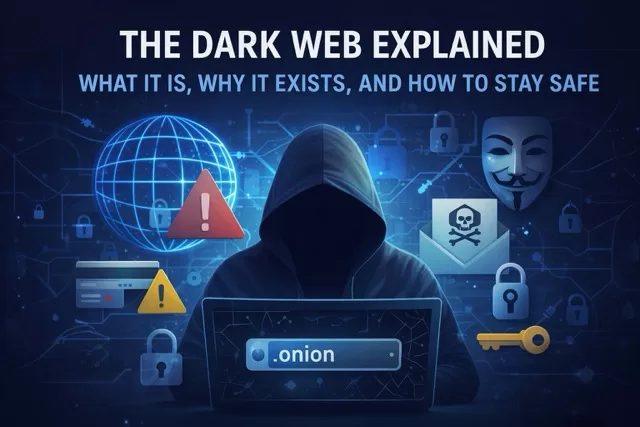
The term “dark web” often sparks fear and curiosity. It’s frequently associated with hackers, illegal marketplaces, and cybercrime—but the truth is more nuanced. While the dark web does host dangerous activity, it also has legitimate uses tied to privacy and free expression.
Understanding what the dark web is—and how it affects everyday users—is an important part of staying safe online.
What Is the Dark Web?
The dark web is a hidden part of the internet that cannot be accessed through regular browsers like Chrome, Safari, or Edge. It requires special software, most commonly the Tor Browser, to access.
To understand it better, think of the internet in three layers:
- Surface Web – Websites you visit every day (news sites, social media, shopping).
- Deep Web – Content behind logins (email inboxes, bank accounts, private databases).
- Dark Web – Intentionally hidden sites that require special tools to access.
The dark web is only a small fraction of the internet, but it gets a lot of attention because of how it’s used.
Why Does the Dark Web Exist?
Despite its reputation, the dark web wasn’t created for criminal activity. It was designed to provide anonymity and privacy.
Legitimate uses include:
- Journalists communicating safely with sources
- Activists avoiding surveillance in restrictive countries
- Whistleblowers sharing sensitive information
- People seeking privacy from tracking and censorship
In these contexts, anonymity can be a powerful tool for freedom and safety.
The Risks of the Dark Web
While there are legitimate uses, the dark web is also home to serious dangers:
- Illegal marketplaces selling stolen data, drugs, or counterfeit goods
- Leaked personal information, including emails, passwords, and financial details
- Scams and malware designed to steal money or infect devices
- Exploitation content that is illegal and harmful
Most users never need to visit the dark web—and doing so without experience can expose you to significant risks.
How the Dark Web Affects You (Even If You’ve Never Used It)
You don’t need to visit the dark web to be impacted by it.
If a company you use suffers a data breach, your:
- Email address
- Passwords
- Phone number
- Social media accounts
- Credit card information
may end up for sale on dark web forums. This is why identity theft and account takeovers often happen months or even years after a breach.
Signs Your Data May Be on the Dark Web
- You receive password reset emails you didn’t request
- Unusual login alerts from your accounts
- Spam or scam messages increase suddenly
- Financial activity you don’t recognize
These can be warning signs that your information has been exposed.
How to Protect Yourself
You don’t need to fear the dark web—but you should prepare for the risks associated with it.
1. Use Strong, Unique Passwords
Never reuse passwords across sites. A password manager makes this easy and secure.
2. Enable Two-Factor Authentication (2FA)
Even if your password is leaked, 2FA can stop attackers from logging in.
3. Monitor Your Accounts
Check bank statements, email activity, and login alerts regularly.
4. Be Cautious with Personal Information
Oversharing online increases the amount of data that can be exploited.
5. Keep Devices Updated
Security updates patch vulnerabilities that attackers often exploit.
Should You Ever Access the Dark Web?
For most people, the answer is no. There’s little benefit for everyday users, and the risks outweigh the curiosity. If privacy or anonymity is your concern, there are safer tools—like privacy-focused browsers, VPNs, and secure messaging apps—that don’t require entering the dark web.
Final Thoughts
The dark web isn’t a myth, and it isn’t going away. While it plays a role in protecting privacy and free speech, it also fuels cybercrime and identity theft.
The best defense isn’t fear—it’s awareness and smart digital habits. By understanding how the dark web works and taking steps to secure your online presence, you can protect yourself without ever needing to visit it.
For more practical guides on staying safe online, continue exploring SafeTechGuide.com.