
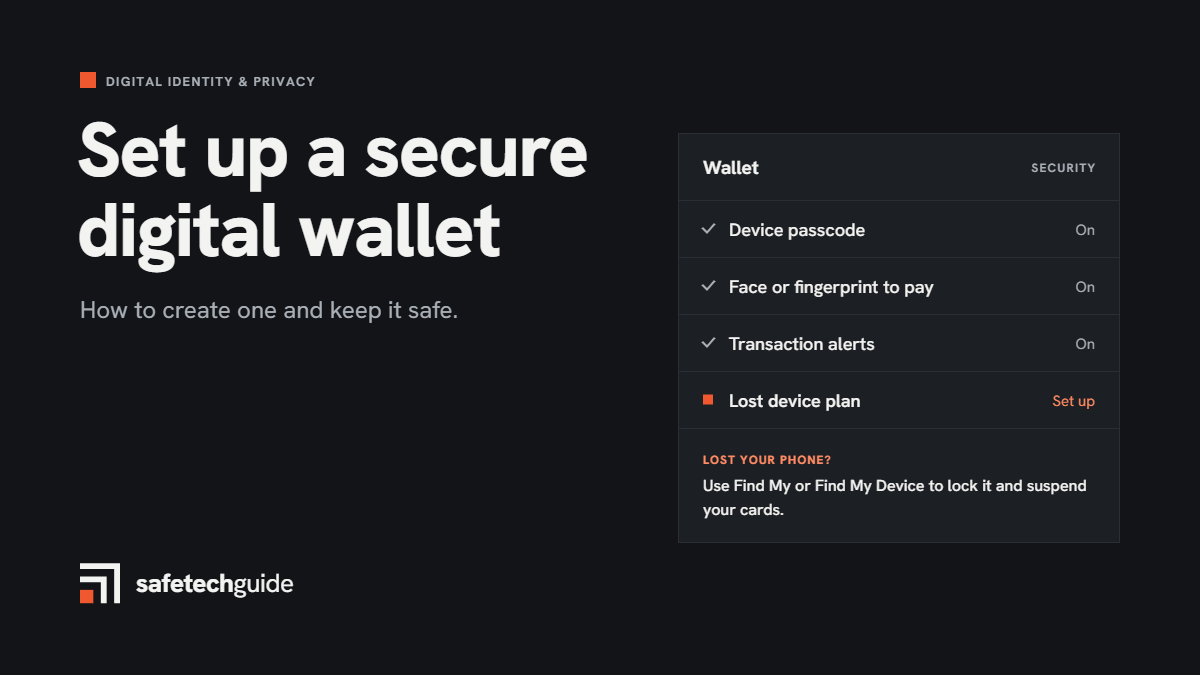

Quick answer: “Digital wallet” covers three different things: a phone wallet that stores your cards (like Apple Pay), a payment app (like PayPal, Venmo, or Cash App), and a cryptocurrency wallet. Each has different risks. With a phone wallet like Apple Pay, your actual card number isn’t sent to the store, according to Apple. Payment apps and crypto are different, because payments are hard or impossible to reverse. For a secure digital wallet of any kind: use only official apps, a unique password, two-factor authenticationTwo-Factor Authentication Login security requiring two forms of verification, such as a password plus a code. It’s the most common form of multi-factor authentication., a locked device, and never act on a message that pressures you to move money or share a recovery phrase.
People use digital wallets to pay in stores, send money to friends, and hold cryptocurrency. This guide explains what protects you in each case, shows what the data says about losses, and covers what to do if you lose your phone or send money to the wrong place.
A Real Example: Where the Money Is Lost
The FBI’s 2025 Internet Crime Report, announced in April 2026, found that cyber-enabled crimes cost Americans nearly $21 billion. The FBI’s release says 181,565 complaints involving cryptocurrency reported over $11 billion in losses, the highest of any category it describes. Investment fraud made up nearly 49% of scam-related losses, and Americans over 60 reported about $7.7 billion in losses, up 37% from 2024. The FBI’s advice is to “take a beat,” resist pressure to act quickly, and report to ic3.gov or your local FBI office if you may be a victim. FBI, “Cryptocurrency and AI Scams Bilk Americans of Billions” (April 2026).
Wallet providers are also impersonated directly. In May 2023, the FTC warned about phishingPhishing A scam that uses fraudulent emails, texts, or websites to trick you into revealing personal information. emails claiming a MetaMask crypto wallet was blocked and urging recipients to click a link and update it quickly or lose their crypto, and about fake PayPal emails listing a phone number that was also a scam. The FTC’s test: do you have an account with the company, and do you know the sender? If not, it’s probably phishing; if so, still contact the company through a number or website you already know. FTC, “Those urgent emails from MetaMask and PayPal are phishing scams” (May 2023).
The pattern is the same: the wallet isn’t hacked, the person is pressured into opening it.
Three Kinds of Digital Wallet
| Type | Examples | What it does | Main risk |
|---|---|---|---|
| Phone wallet | Apple Pay, Google Wallet | Stores your cards and pays by tapping your phone | A lost or unlocked phone |
| Payment app | PayPal, Venmo, Cash App | Moves money between people and accounts | Scams, because payments are hard to reverse |
| Crypto wallet | Software or hardware wallets | Holds cryptocurrency | Payments aren’t reversible and lost access can’t be recovered |
Phone Wallets
Apple’s support page describes how Apple Pay protects your card. It says Apple “doesn’t store the original credit, debit, or prepaid card numbers” you add. Instead, a Device Account Number that Apple cannot decrypt is stored in the phone’s Secure Element, and in stores Apple Pay sends that number with a transaction-specific security code. Apple says neither it nor your device sends your actual card number. To pay, you must authenticate with Face ID, Touch ID, or your passcode, except in Express Mode for transit and some payment cards. Source: Apple Support, “Apple Pay security and privacy overview” (April 2026). We did not review Google Wallet’s equivalent page, so we’re not describing it here.
Practical steps, from the same page and our own advice:
- Set a strong passcode and keep Face ID or Touch ID on. Apple Pay requires a passcode.
- If the phone is lost, Apple says that if Find My is on, you can place it in Lost Mode to suspend Apple Pay instead of immediately canceling your cards, and your bank or issuer can suspend the cards even if the device is offline.
- Add only your own cards, and review your card statements for charges you don’t recognize.
Payment Apps
The FTC says payment apps need a funding source, like a bank account or card, and that scammers target them because payments are hard to reverse. Its advice:
- Use multi-factor authenticationMulti-Factor Authentication An extra layer of security that requires more than one form of verification to log in. Two-factor authentication (2FA) is a common type of MFA. or a PIN, and “don’t give your account credentials to anyone that contacts you.”
- Before paying, double-check the recipient’s information.
- Don’t send a payment to claim a prize.
- If someone you know asks for money unexpectedly, confirm directly, since their account may have been hacked.
If you sent money to the wrong person or a scammer, the FTC says to contact the app quickly (in-app help is fastest) and report it at ReportFraud.ftc.gov. Source: FTC, “Mobile Payment Apps: How To Avoid a Scam When You Use One” (updated April 2024). The page lists current support numbers for Cash App, Venmo, and PayPal; check it directly rather than relying on numbers in a message.
Crypto Wallets
The FTC explains that crypto “generally exists only electronically” and is stored in a digital wallet that can be online, on your computer, or on an external hard drive. Its warnings:
- “Cryptocurrency payments typically are not reversible.”
- If a wallet is lost or compromised, “no one can step in to help you recover your funds.”
- “Only scammers demand payment in cryptocurrency.” Legitimate businesses and government agencies won’t.
- Never mix online dating and investment advice.
Source: FTC, “What To Know About Cryptocurrency and Scams” (June 2025).
The FTC page doesn’t cover recovery phrases, hardware wallets, or backup practices, so the rest of this section is general knowledge and our own advice:
- Treat your recovery phrase (seed phrase) like the key to a safe. Anyone who has it can move your funds. Write it down on paper, keep it offline, don’t photograph or store it in a notes app or cloud account, and never give it to anyone. No legitimate support team asks for it.
- Consider a hardware wallet if you hold more than you’d be comfortable losing. These devices keep your keys offline. We haven’t reviewed any product, so we don’t name one.
- Test with a small amount before sending a large transfer, and double-check the address, since transfers can’t be undone.
- Get wallet software only from the provider’s official site or app store listing, after confirming the developer’s name. The original post called fake wallet apps “one of the most common scams.” We have no source for that ranking, but fake apps are a known risk.
Steps That Apply to Every Wallet
- Unique password. Use a password manager and never reuse a password from another account.
- Strong two-factor authentication. Prefer an authenticator app or passkeyPasskeys A passwordless login method that uses your device (like a phone or laptop) to securely verify your identity. over text messages where the wallet allows it. See our guides to two-factor authentication and passkeys.
- Keep apps and your phone updated, which patches known flaws.
- Lock your devices with a passcode and automatic screen lock.
- Bookmark the official sites you use, and don’t log in through links in messages. See 5 quick ways to spot a phishing email and our guide to text scams.
- Slow down when someone is rushing you. The FBI’s “take a beat” advice is the best single defense against scams.
If Something Goes Wrong
- Lost or stolen phone: use the manufacturer’s lost-device tools to suspend payments, call your card issuer, and change passwords from another device. Apple’s Lost Mode steps are above.
- Sent money to a scammer or the wrong person: contact the payment app or your bank immediately, and report at ReportFraud.ftc.gov. For the full checklist by payment method, see what to do if you fall for an online scam.
- Crypto scam: the FTC lists these places to report: ReportFraud.ftc.gov, CFTC.gov/complaint, sec.gov/tcr, ic3.gov, and the exchange you used to send the money. The FBI says to document the scammer’s name, contact methods, dates, payment methods, where the funds went, and your interactions with them.
- Blackmail demanding crypto: the FTC says to report it to the FBI immediately. See our guide on blackmail online.
- Phishing email or text: don’t click; contact the company through a known channel, and report at ReportFraud.ftc.gov. The FTC also lists reportphishing@apwg.org for forwarded phishing emails.
People Also Ask
Apple’s description of Apple Pay, where your real card number isn’t sent to the store, suggests phone wallets add protection. But you still need a locked phone, and payment apps and crypto work differently. We haven’t found a source comparing them overall.
The FTC doesn’t rank storage methods. Many people use hardware wallets to keep keys offline; that’s general knowledge, not an FTC statement. Whatever you choose, protect your recovery phrase and double-check every address.
The FTC says crypto payments are typically not reversible. Report it anyway, using the channels above.
The FTC page we reviewed doesn’t say. Check with your card issuer and bank about their protections before you decide.
It’s a set of words that can restore a crypto wallet. Nobody else should see it. No legitimate provider will ask for it.
Install only from the provider’s official site or your phone’s app store, confirm the developer’s name, and be suspicious of any message urging you to update or unlock a wallet.
Sources: Federal Bureau of Investigation, “Cryptocurrency and AI Scams Bilk Americans of Billions” (April 2026); Federal Trade Commission, “Those urgent emails from MetaMask and PayPal are phishing scams” (May 2023); Federal Trade Commission, “Mobile Payment Apps: How To Avoid a Scam When You Use One” (updated April 2024); Federal Trade Commission, “What To Know About Cryptocurrency and Scams” (June 2025); Apple Support, “Apple Pay security and privacy overview” (April 2026)
Leave a Reply
You must be logged in to post a comment.