
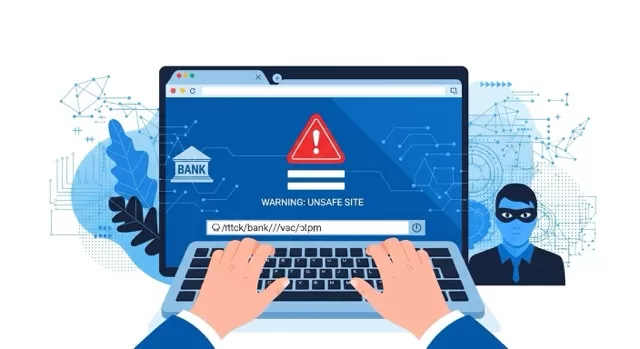
Quick answer: Pharming is a cyberattack that secretly redirects you to a fake website — even when you type the correct web address yourself. Unlike phishing, it doesn’t rely on you clicking a bad link. Instead, it tampers with the systems that translate web addresses into the servers you actually connect to, so a site that looks completely normal can be a trap.
You’ve probably heard of phishing — fake emails and texts designed to trick you into clicking a malicious link. Pharming is phishing’s quieter, more dangerous cousin. There’s no suspicious email to spot and no bad link to avoid, because you never clicked anything wrong in the first place.
Below, we’ll cover how pharming actually works under the hood, a real-world case that shows the damage it can do, the warning signs to watch for, what to do if you protect yourself, and what to do if you think it’s already happened to you.
Table of Contents
- How Pharming Actually Works
- Pharming vs. Phishing: What’s the Difference?
- A Real Pharming Attack: What It Looked Like
- Warning Signs of Pharming
- How to Protect Yourself From Pharming
- What to Do If You Think You’ve Been Pharmed
- FAQ
How Pharming Actually Works
Every time you type a web address like www.yourbank.com, your device has to look up the actual server location behind it. That lookup happens through the Domain Name System (DNS) — essentially the internet’s phone book, translating human-readable addresses into the numeric IP addresses computers use to find each other.
Pharming attacks tamper with that lookup process instead of tricking you directly. There are three main ways attackers do it:
- DNS cache poisoning. Attackers exploit vulnerabilities in DNS software to inject false records into a DNS resolver’s cache, so it starts sending everyone who queries it to the wrong (malicious) address.
- Router or local DNS tampering. Malware — or an attacker who’s guessed your router’s default admin password — changes the DNS settings on your home router or device itself, silently rerouting your traffic.
- Hosts file manipulation. A small file on your own computer (the “hosts file”) can map domain names directly to IP addresses, overriding DNS entirely. Malware that edits this file can redirect specific sites — like your bank — without touching your network at all.
In every version, the result is the same: you type the correct address, your browser shows what looks like the correct site, and you land somewhere malicious anyway. This is also why pharming has historically been treated as a serious enough threat that U.S. bank regulators issued formal guidance on it back in 2005, specifically warning financial institutions to assess their exposure to it.
Pharming vs. Phishing: What’s the Difference?
| Phishing | Pharming | |
|---|---|---|
| How it starts | You click a malicious link (email, text, ad) | Nothing — it happens in the background |
| What’s attacked | You (your judgment/trust) | DNS, your router, or your device |
| Can you spot it before clicking? | Often yes — check the sender, hover the link | No — the redirect happens after you’ve already typed the correct address |
| Scale | Usually targets individuals or small groups | Can silently redirect everyone using a poisoned DNS server or router |
| Best defense | Skepticism + verifying links | Securing DNS/router settings + HTTPS checks |
A Real Pharming Attack: What It Looked Like
Pharming isn’t a hypothetical. In 2007, a large-scale DNS poisoning campaign in Brazil redirected online banking customers to fraudulent lookalike sites even though they had typed their bank’s correct address, resulting in significant financial fraud before it was traced back to compromised DNS infrastructure rather than any mistake on the customers’ part.
More recently, security agencies have tracked DNS hijacking campaigns targeting routers directly — in 2019, the U.S. Cybersecurity and Infrastructure Security Agency (CISA) issued an emergency directive after identifying a global DNS infrastructure hijacking campaign in which attackers used stolen credentials — not malware on individual victims’ machines — to redirect web and email traffic for affected organizations.
Warning Signs of Pharming
Pharming is designed to look normal, so the signs are subtle. Watch for:
- No padlock / no HTTPS on a login page. Legitimate banks and major sites almost never accept credentials over an unencrypted connection — if the padlock’s missing on a page asking for a password, stop.
- The site looks slightly “off.” Misspellings, a stretched logo, unfamiliar fonts, or a login box in a different spot than usual — pharming sites are often close copies, not pixel-perfect ones.
- Your security software raises a flag. Antivirus or browser warnings about a suspicious or “not private” connection are worth stopping for, even if the site otherwise looks fine.
- Multiple sites suddenly misbehave. If several unrelated sites start acting strangely at once (odd redirects, certificate warnings), that points to something wrong at the DNS or router level — not a problem with any one site.
How to Protect Yourself From Pharming
1. Check for HTTPS every time you log in. Look for the padlock icon before entering a password anywhere. No padlock means no login — full stop. This won’t catch every pharming attempt (some fraudulent sites do obtain valid certificates), but it’s a fast first filter.
2. Keep your router firmware and device software updated. Many DNS-tampering attacks exploit known, already-patched vulnerabilities. Updates close the door attackers are trying to walk through — this is one of the few defenses that works against multiple attack methods at once.
3. Secure your Wi-Fi router specifically. Change the default admin password (attackers scan for factory defaults), update the firmware, and disable remote management if you don’t use it. Since router-level DNS tampering is one of the three main pharming methods, this step directly closes off an entire attack path.
4. Use a reputable antivirus and firewall. Modern security software can detect known malicious redirects and block hosts-file tampering attempts before they take effect.
5. Consider DNS-level protections. Some routers and third-party DNS providers support DNSSEC or encrypted DNS, which cryptographically verify that DNS responses haven’t been tampered with in transit — a more direct defense than a VPN against certain pharming methods, though a reputable VPN’s encrypted DNS requests help too.
What to Do If You Think You’ve Been Pharmed
Most guides stop at prevention. Here’s what to actually do if you suspect it’s already happened:
- Disconnect the affected device from Wi-Fi immediately to stop any further data from being sent.
- Check your router’s DNS settings against your ISP’s defaults or a known-good public DNS provider — an unfamiliar DNS server address is a red flag.
- Change your router admin password and reset DNS settings to default, then update the firmware.
- Change passwords for any accounts you logged into during the suspected window — from a different, unaffected device.
- Watch financial accounts closely and report unauthorized activity to your bank immediately; U.S. consumers can also report the incident to the FTC at ReportFraud.ftc.gov and, for suspected large-scale or organized activity, the FBI’s Internet Crime Complaint Center (IC3).
- Run a full malware scan on the affected device before reconnecting it to any network.
FAQ
Is pharming still a real threat in 2026? Yes. While large-scale DNS infrastructure attacks are less common than in the late 2010s, router- and device-level pharming (via malware or hosts-file tampering) remains an active method, particularly because it doesn’t require tricking a user into clicking anything.
Can a VPN fully protect me from pharming? No single tool does. A VPN encrypts your DNS requests and traffic, which helps against network-level interception, but it won’t protect you if malware has already altered your device’s hosts file, or if the DNS tampering happened upstream at your router before your VPN connection starts.
How is pharming different from DNS hijacking? They overlap. “DNS hijacking” is the broader technique — tampering with DNS resolution. “Pharming” specifically describes using that technique (or hosts-file/router tampering) to redirect users toward fraudulent sites for the purpose of stealing information or money.
Sources
- Federal Deposit Insurance Corporation, FIL-64-2005: Guidance on How Financial Institutions Can Protect Against Pharming Attacks
- Cybersecurity and Infrastructure Security Agency, AA19-024A: DNS Infrastructure Hijacking Campaign
- Federal Trade Commission, Report Fraud
- FBI Internet Crime Complaint Center, IC3.gov
Related reading:

Leave a Reply
You must be logged in to post a comment.